The spreadsheet that ran my finances eventually became an app.
A personal finance system built around planning first, tracking second.
Why I built it
I had been managing my finances in the same spreadsheet for years.
Over time, it became increasingly annoying to maintain: adding a category, removing an old one or changing the structure meant checking formulas across multiple sheets and hoping nothing had quietly broken.
It worked because I knew how it worked.
The trigger came when my sister bought a house and asked me for a copy. That was when I realised the spreadsheet wasn’t really a tool I could hand to someone else… it was a system that depended on me knowing its internals.
So instead of simplifying the spreadsheet one more time, I replaced it.
The spreadsheet became a product
Contas starts with onboarding, where the user defines:
- income sources;
- recurring expenses;
- savings buckets;
- investment vehicles;
- spending categories;
- goals.
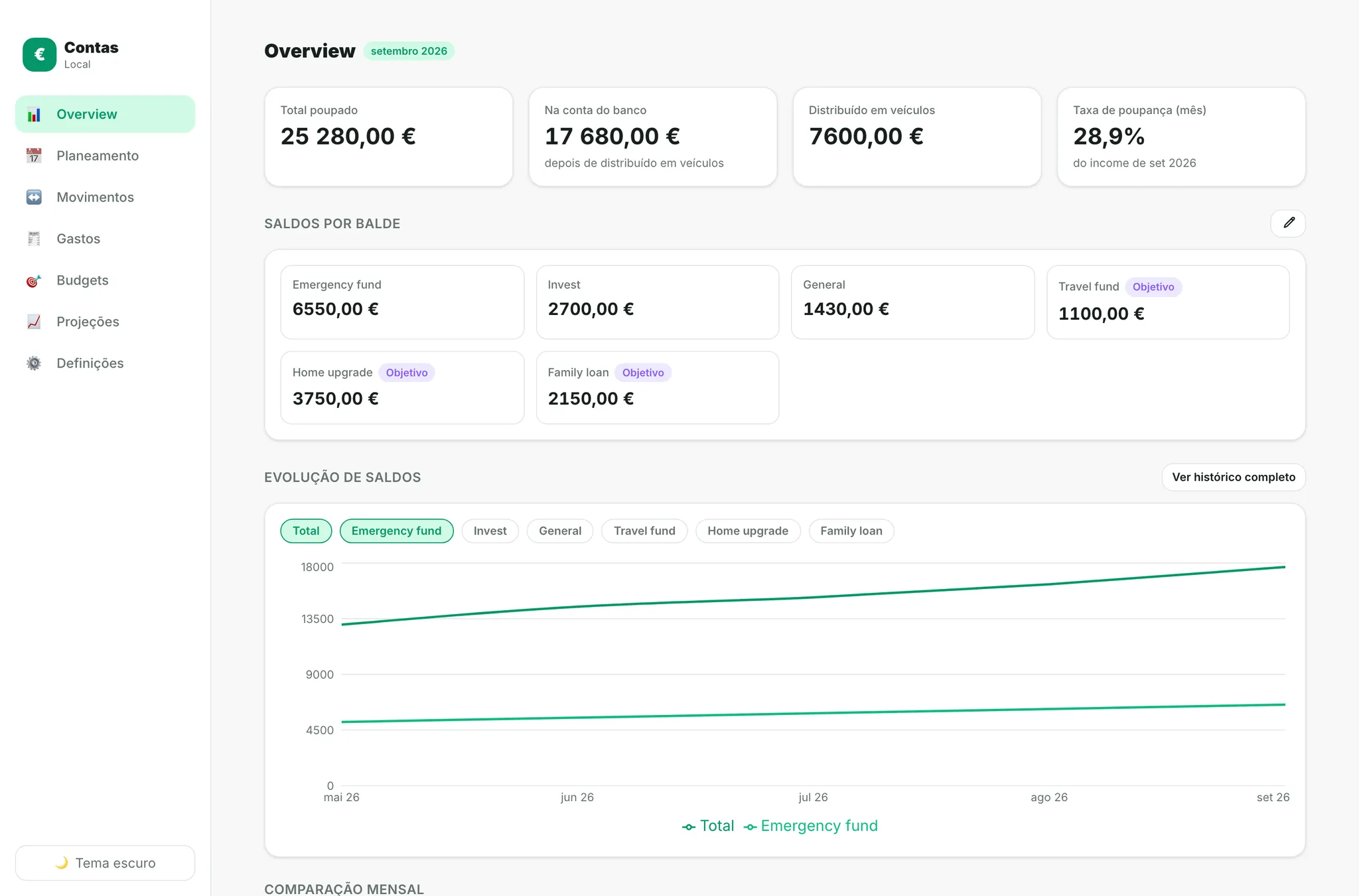
From there, it becomes the place where the month actually happens:
- plan incoming money;
- decide what stays in the current account;
- distribute savings;
- track movements;
- analyse spending;
- monitor budgets;
- project future months.
The biggest shift was taking years of logic out of spreadsheet cells and turning it into an actual product model.
Planning first, tracking second
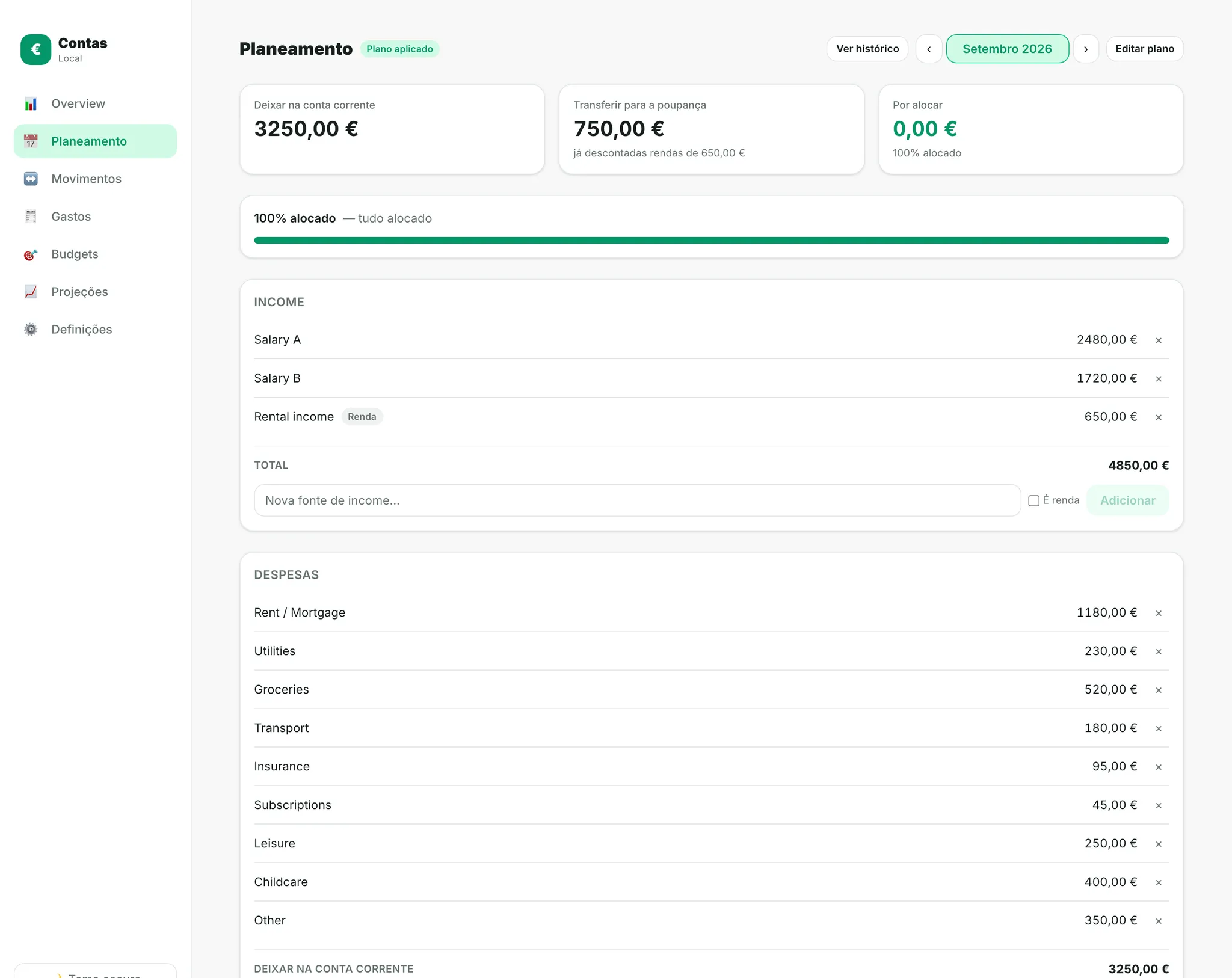
Most personal finance tools are very good at telling you where your money went, but I cared more about deciding where it should go next.
Each month starts as a plan. Income is allocated across:
- recurring expenses;
- savings;
- temporary goals;
- investment vehicles;
- money kept liquid.
Then reality happens! Transactions and movements update the actual balances, but the plan stays there as the reference. That made Contas much more useful to me than the spreadsheet it replaced.
Temporary goals
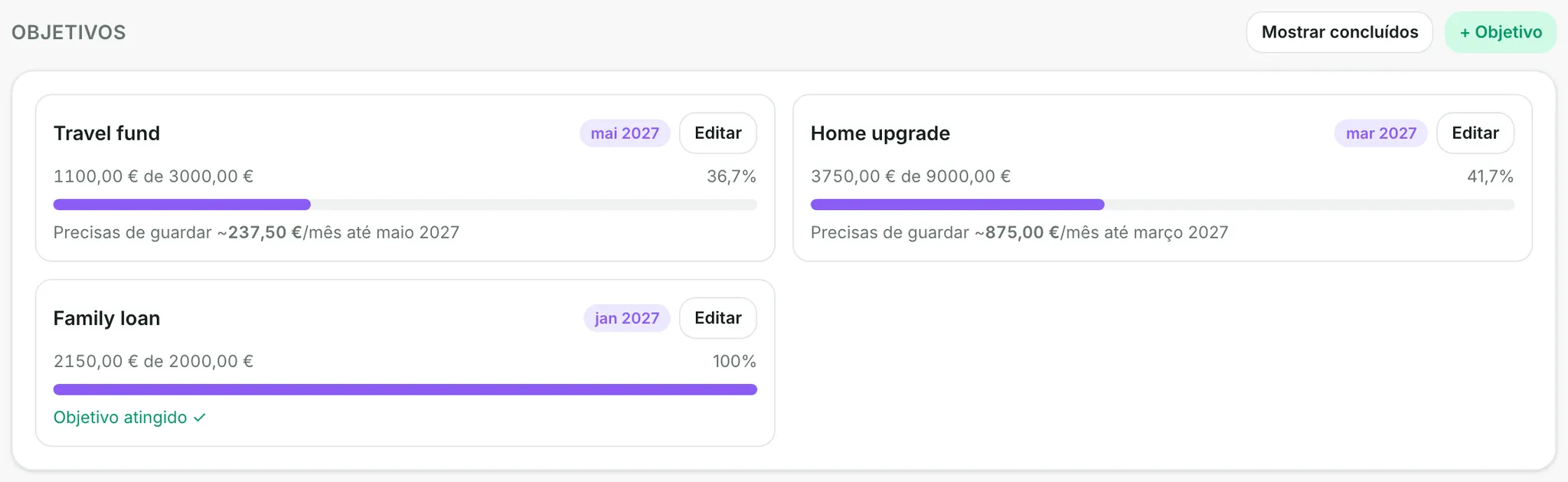
Not every savings bucket needs to exist forever, so Contas also supports temporary goals with targets and deadlines. I can reserve money for something specific without turning every trip, purchase or short-term objective into a permanent category.
Projections that include real life
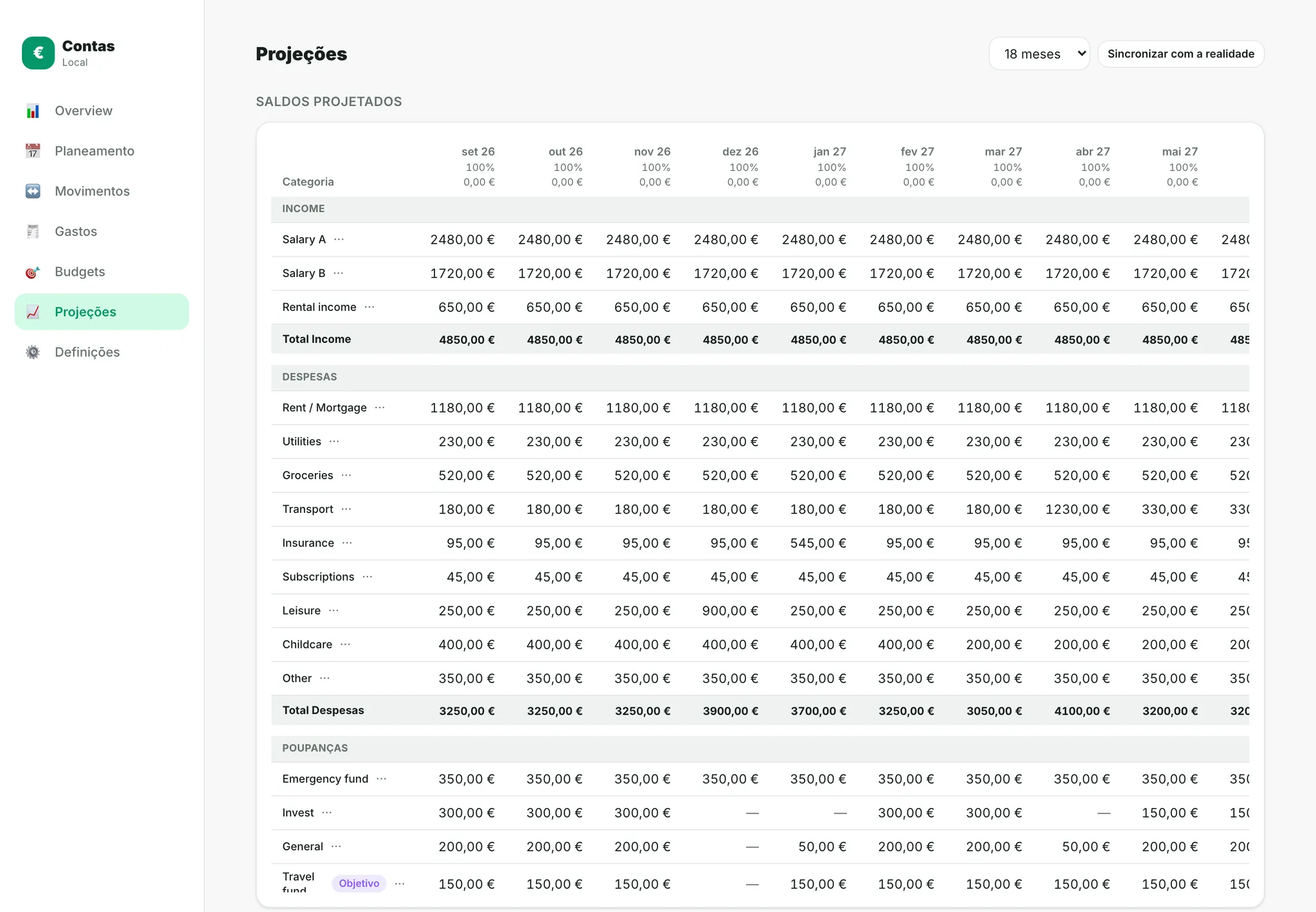
The projection starts simple: the current monthly plan becomes the baseline for the future. From there, any month or cell can be changed manually. That means I can ask the questions I actually care about:
- Can I afford this trip?
- What happens if I buy a car in six months?
- How much do I need to save each month for a specific goal?
- What if an insurance payment lands in that month?
- Will any savings bucket go negative?
Expected expenses can be added directly into future months, so the projection includes the things I already know are going to happen.
And when reality catches up, those assumptions don’t disappear. The projection re-anchors itself around the new real balances while keeping the manual changes I made for the future.
Local first. Shared only when needed.
By default, Contas stores everything locally, so no account is required. You can open the app, configure it and use it entirely on one device.
For people close to me who need synchronization, I can enable a shared workspace backed by Firestore. A random secret code identifies that workspace and can be used on another device, or by someone else in the household, to access the same financial space.
I deliberately skipped the full authentication system because the problem didn’t need one.

AI where it actually removes work
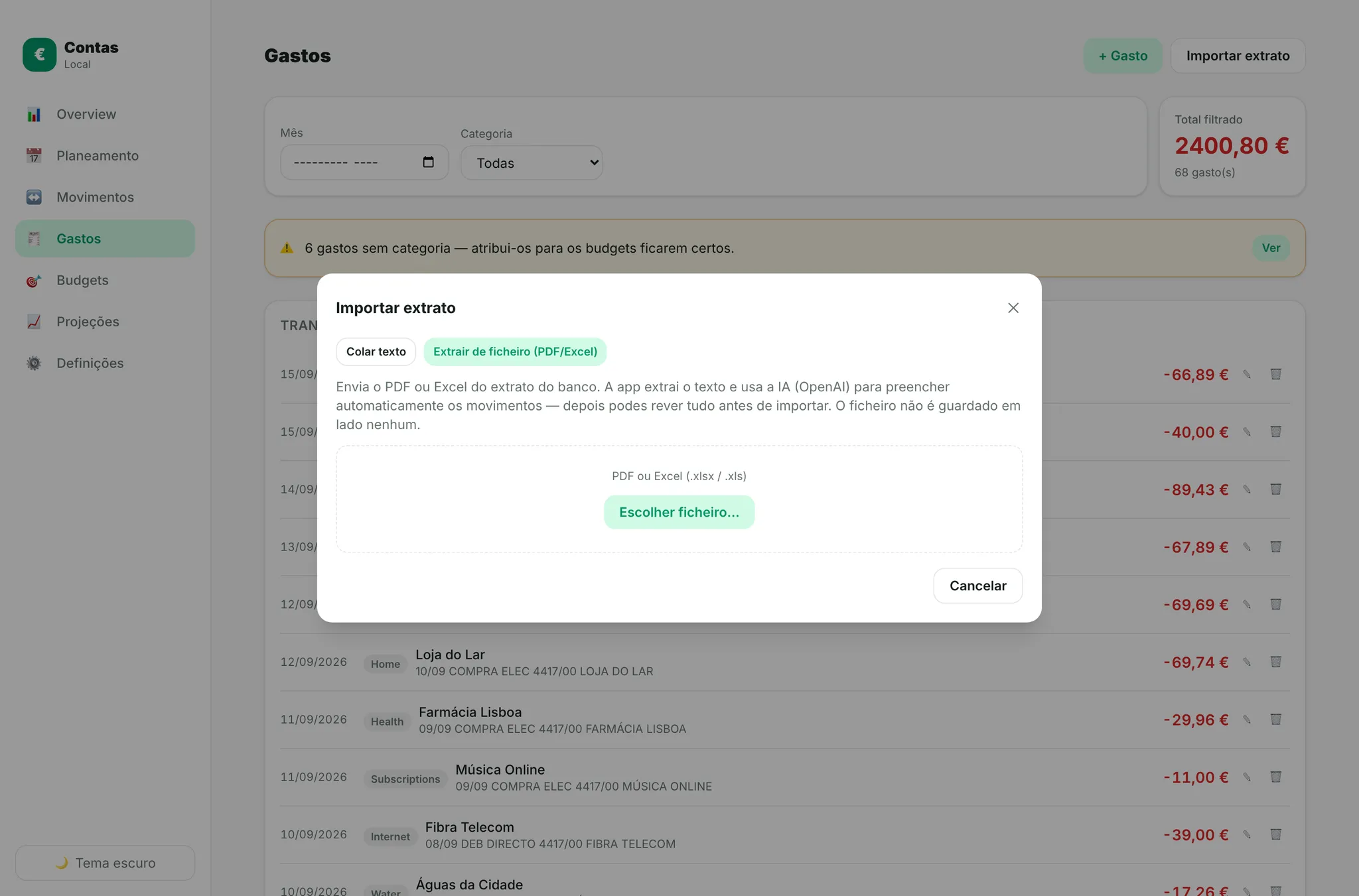
I didn’t want to turn Contas into an “AI financial advisor”, but there was actually a really boring process that AI could solve: bank statements.
A user can provide a bank statement as PDF, CSV or Excel, and Contas:
- extracts the transactions;
- structures the movements;
- looks at relevant recent transactions;
- suggests categories;
- lets the user validate everything;
- only then imports the transactions.
The categorization can improve from recent history without pretending the system knows more than it does.
The feature is completely optional and uses the user’s own OpenAI API key, which also means I don’t have to pay for everyone else’s bank statements. Convenient!
From useful to indispensable
The spreadsheet survived for about a month alongside the new app, mostly so I could keep checking that I hadn’t broken my finances.
Then, at some point, I just stopped opening it.
Contas is now the system I use with my wife for our entire financial planning, which is probably the strongest signal I could get from a personal project: I built something to replace an existing workflow, and eventually forgot about the thing it replaced.
A small number of family members use it too, including the sister that accidentally started all of this!
What I learned
Build around the workflow, not the old tool
The spreadsheet had years of logic in it, but that didn’t mean its structure deserved to survive. Rebuilding the workflow as software forced me to separate the actual financial model from the way it happened to be represented in cells.
Complexity has to earn its place
A full account system would have been easy to justify because, well, apps have logins. But most users didn’t need one. Local-first was simpler, faster and more private. Synchronization only became worth adding when multi-device and household use actually required it.
AI is leverage, not decoration
The only AI feature ended up being at one of the least glamorous parts of the product: turning messy bank statements into structured, categorized transactions. AI is most useful when it removes repetitive work, not when it’s added just to make the product sound smarter.
Built with
React · TypeScript · Vite · Tailwind CSS · Firebase / Firestore · IndexedDB · Recharts · PDF.js · XLSX · GitHub Pages