A map for the coding sessions I kept losing across tools.
A desktop app that maps coding-agent sessions across projects and takes me back to the original conversation when something needs attention.
Why I built it
Using coding agents made it cheap to start another piece of work. Keeping track of all that work was less cheap.
I had Claude Code sessions spread across terminals, Codex threads in its desktop app and Claude conversations somewhere else again. A session could be working, waiting for permission, asking a question or simply ready for me to review. Finding out which one meant visiting every window and reconstructing what I had been doing.
The agents were useful, but the traffic management around them wasn’t.
I built Hoku to give me one view of that work without creating yet another place where the work itself had to happen. It indexes sessions, groups them by project, shows the state it can observe and takes me back to the original terminal or app.
It isn’t an agent, and it doesn’t run tasks on my behalf. It’s “simply” the map between them.
Turning scattered sessions into a map
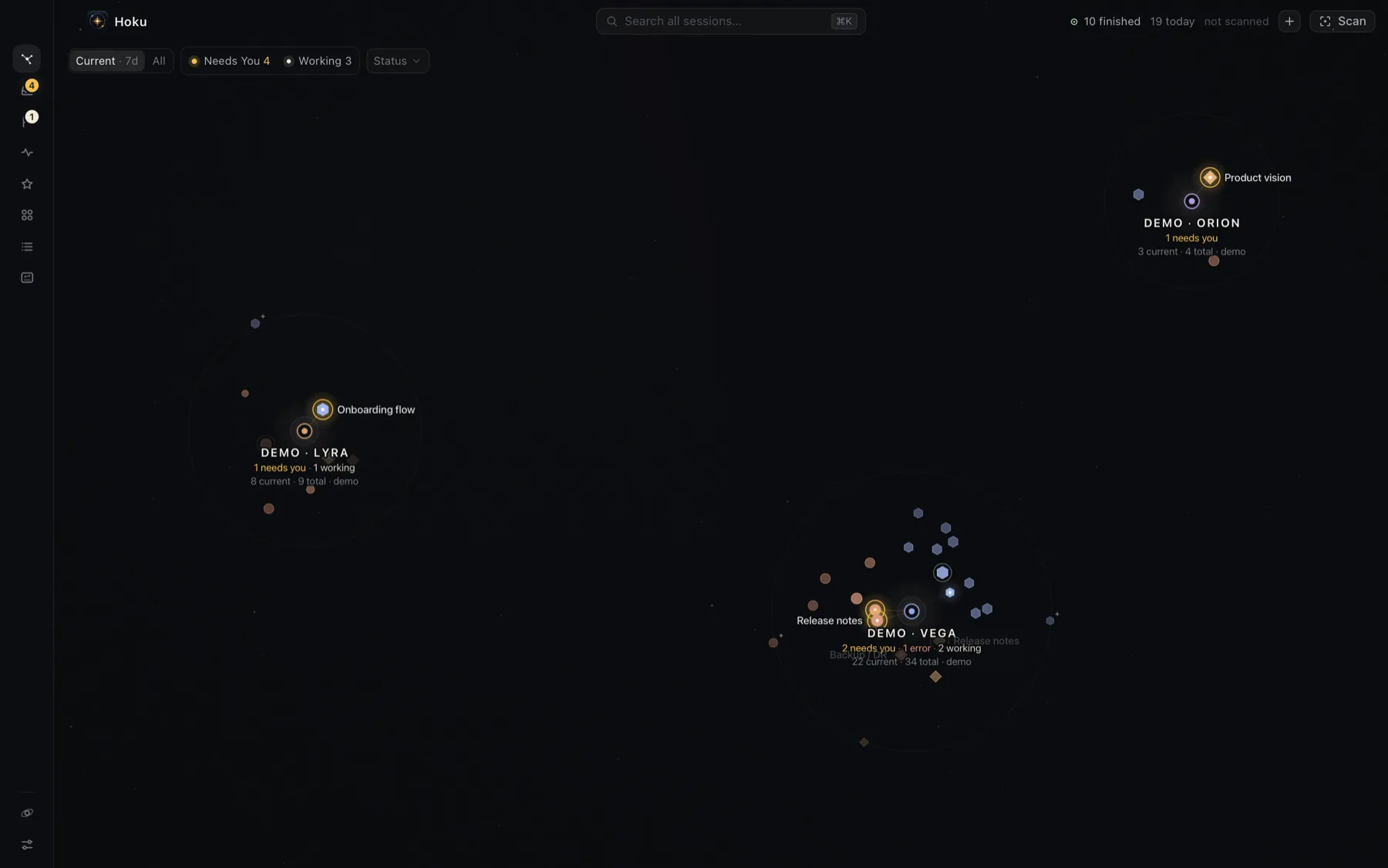
Hoku’s main view is a constellation. Each project is a system and each session is a body in orbit around it. The angle identifies the provider, the distance reflects relevance and recency, and the halo communicates the latest known state.
The astronomy metaphor could easily have become decoration, so I gave it rules. The layout is deterministic: a project should not jump across the screen because one session changed state, and a session should remain where I expect to find it. The map has to support spatial memory before it gets to look interesting.
There are conventional views for sessions, projects, activity and follow-ups too. The Galaxy is the overview, not a demand that every job becomes a visualisation. When I already know what I need, ⌘K searches sessions, projects and actions directly.
Knowing when to interrupt me
The most useful question wasn’t “what is running?” but “what actually needs me?”
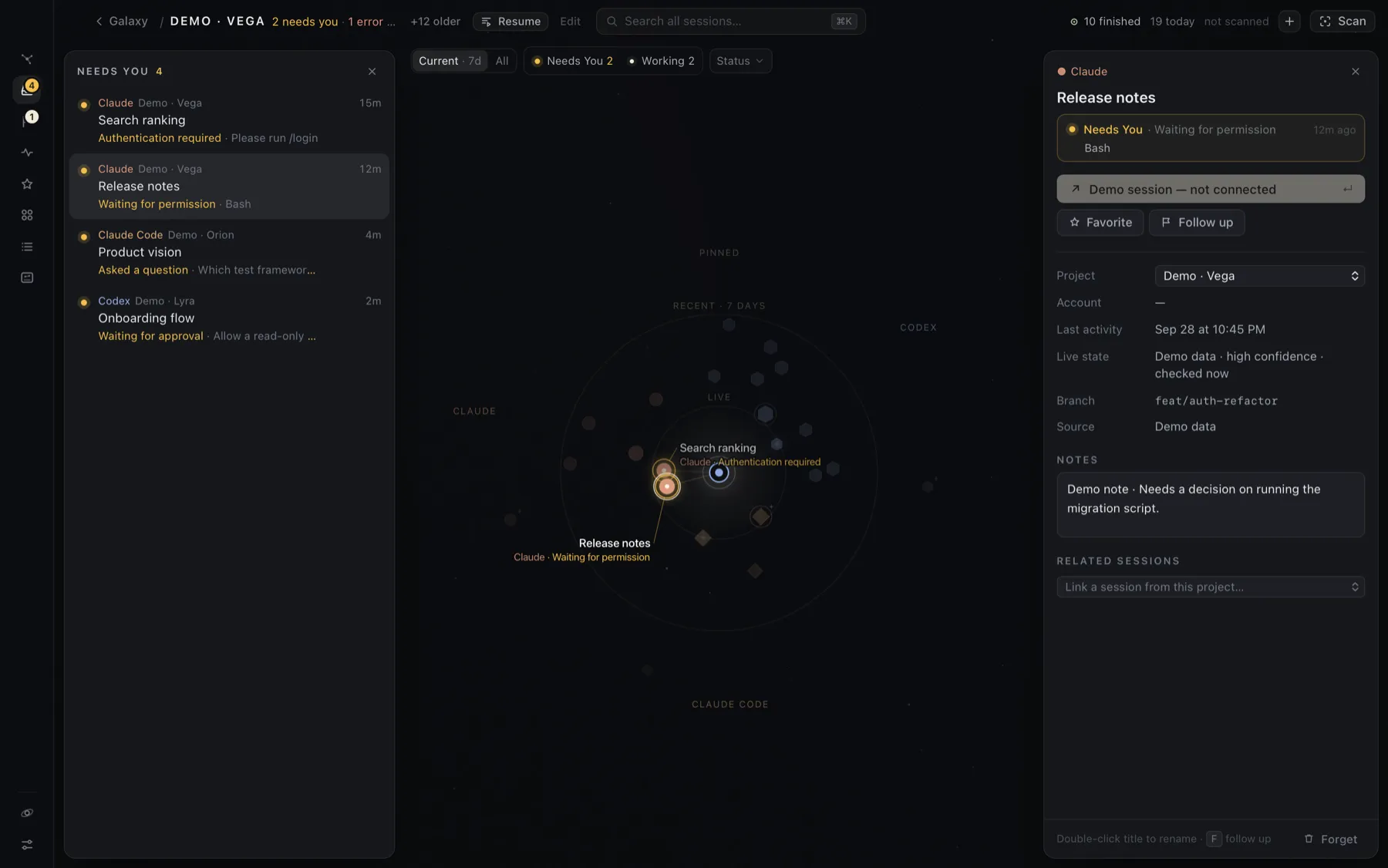
Hoku normalises the signals it can read into a small set of states: working, needs you, ready, idle, offline, error and unknown. “Needs You” collects pending questions, approvals, sign-ins and some failures in one place, with optional notifications and a Dock badge.
That sounds straightforward until different tools expose different evidence. Claude Code leaves relatively rich local traces. Codex exposes less, so some states have to be inferred. Claude Desktop exposes less again. Hoku keeps the confidence with the observation and prefers an honest unknown to a confident fiction.
“Ready” is deliberately narrow too. It means the agent has finished its turn and returned control. It does not mean the task is done, correct or even particularly good. That judgement is still mine.
Returning to the actual work
A dashboard that tells me something needs attention but leaves me to hunt for it has only moved the problem.
“Go to terminal” tries to return to the existing Claude Code context: the right iTerm or Terminal tab, or the precise VS Code window and terminal when the Hoku extension can identify it. Codex and Claude Desktop sessions open through their own deep links. If the provider does not expose enough information, Hoku makes the limitation visible instead of pretending the jump will be exact.
I also added the quieter forms of continuity that started mattering after the first useful version. A project can keep a description and next step, surface recent sessions and decisions, and start a new Claude Code session in the right folder. Follow up is a review-later queue with optional reminders; Favorites is simply a way to keep recurring sessions close. They are separate because “important” and “not now” are not the same thing.
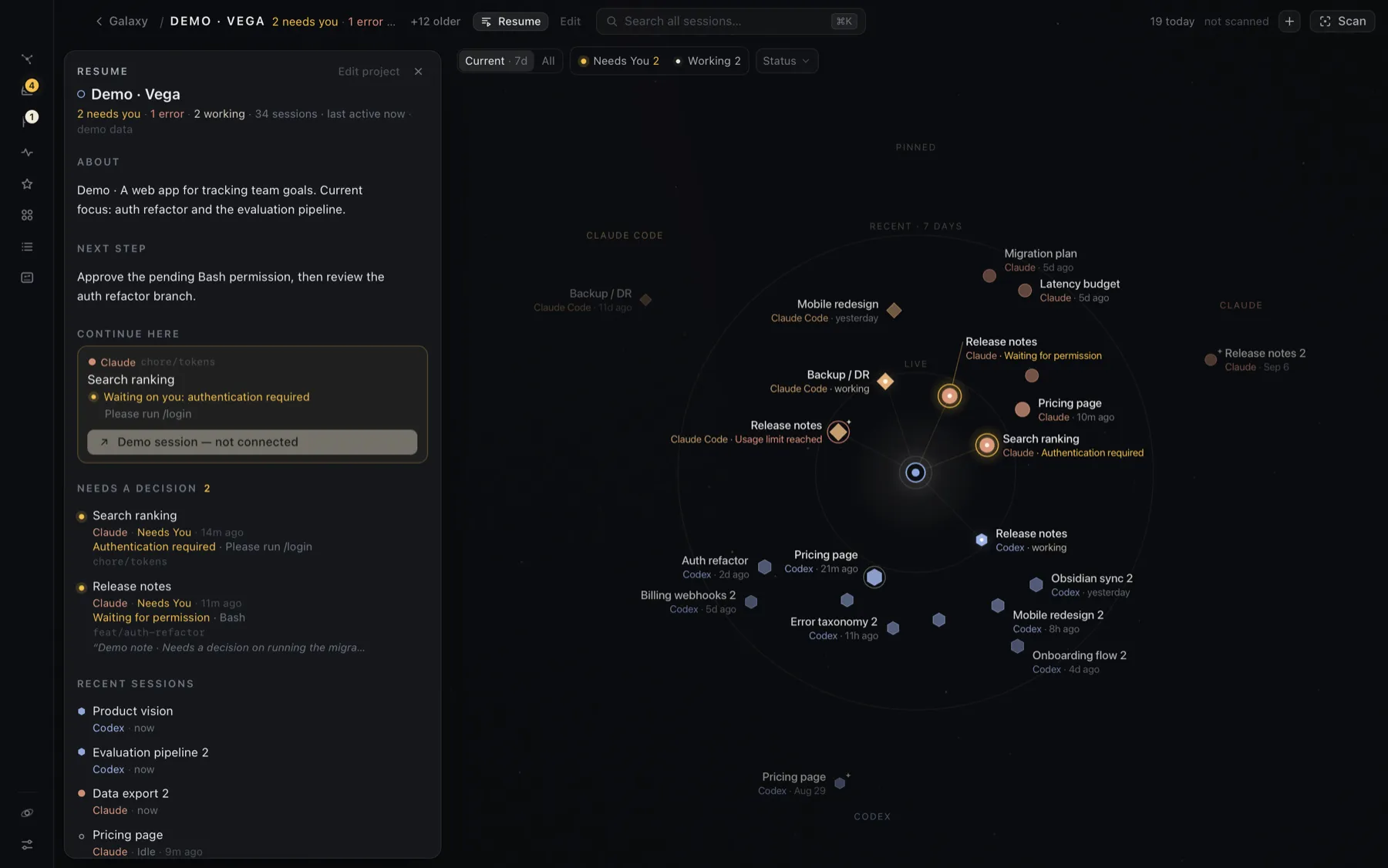
There is an optional AI draft for Project Resume, but it is off by default. Before anything is sent, Hoku shows the prepared payload; it excludes transcripts, prompts, absolute paths, account details and credentials. The draft runs through the user’s Claude Code CLI and is only saved after review.
Local by default, including the awkward parts
Hoku has no account, backend, analytics or telemetry. It reads supported provider data on the Mac in read-only mode and keeps its own index in a local SQLite database. It never stores full transcripts, passwords or tokens.
That was partly a privacy choice and partly the right architecture for the product. The useful evidence already exists locally, the original conversations already have homes, and adding a service in the middle would create more trust, security and operating problems without making the map better.
The trade-off is maintenance. These providers do not all offer stable public APIs for local session discovery, so Hoku depends on file formats, local databases, deep links and bits of macOS automation that can change. The adapters isolate those differences, the Rust backend owns file access and launch safety, and the interface receives a typed model rather than reading provider stores itself. Still, “local-first” does not mean “effort-free”. It means accepting a particular kind of fragility in exchange for keeping the system private and close to the work.
Sharing a record without inventing productivity
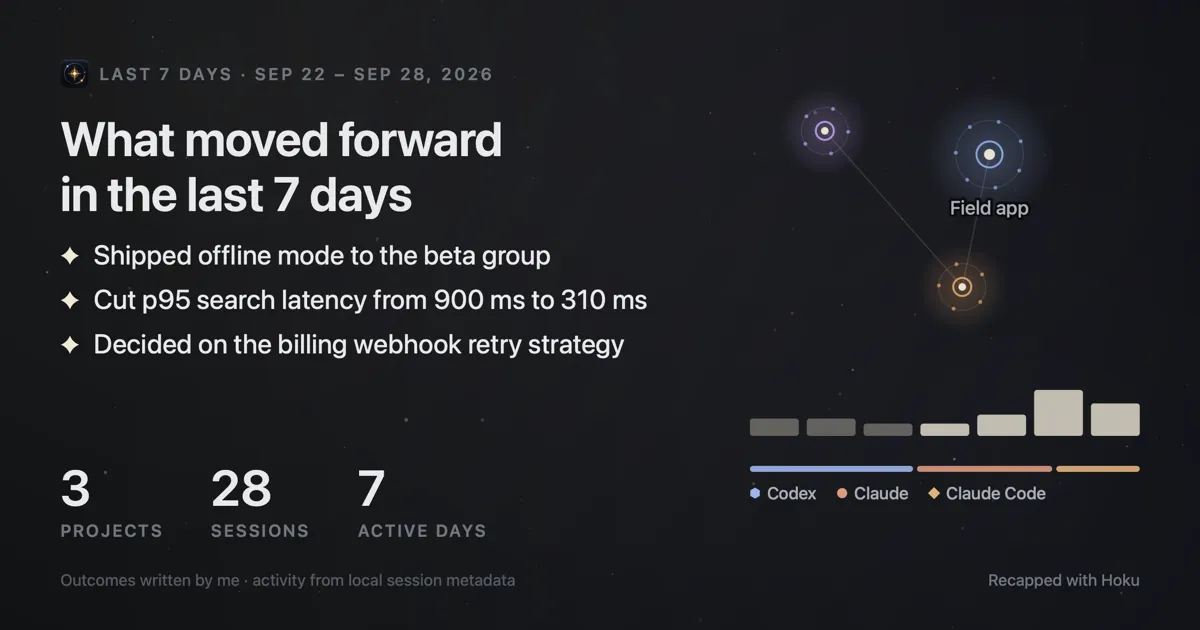
Hoku records semantic activity while it is open and can turn a day, week or month into a recap. It counts what it actually observed, combines that with outcomes I write, and exports a card or text summary.
It does not calculate hours saved, productivity gained or tasks completed. A finished agent turn is not evidence of any of those things. Project names and written outcomes are opt-in when sharing, and Hoku never posts a recap by itself.
Where it is now
Hoku is free, open source and available for Apple Silicon Macs. The current pre-1.0 release supports Claude Code, Codex Desktop and parts of Claude Desktop, with different levels of discovery and live-state coverage for each.
It is already the place where I orient myself across agent work, but it is deliberately not trying to become the place where every agent runs. The next useful integration may come from a terminal tool, a desktop app or something like OpenCode. The product principle stays the same: index the work, show what can be known, and return me to the source.
What I learned
An overview is only useful if it leads back to action
A good map does not end at awareness. The difficult part was making every useful signal lead back to the exact terminal, window or conversation where I could do something about it.
Confidence belongs in the product model
When a state is inferred from incomplete local evidence, uncertainty is part of the fact, not an implementation detail to hide. Modelling it explicitly made the interface less absolute and more trustworthy.
Local-first moves complexity; it does not remove it
Skipping accounts, servers and telemetry made Hoku more private and simpler to operate. It also made provider formats, application permissions, terminal focus and safe local launching core product work. The complexity did not disappear. It moved somewhere I was more willing to own.