The hard part was never the case management.
An unfinished workspace for a vehicle-accident inspector, built around the manual work before legacy systems got in the way.
Why I built it
My father works as a vehicle-accident inspector for insurance companies. A case can mean documents, people, vehicles, notes, costs, reports and a surprising amount of finding the same information in more than one place.
The manual work was obvious from the outside: the shape of a case was clear, but the working context around it was scattered. I wanted to see what a calmer workspace could look like if it put the case, its evidence and the next piece of work together.
What I built
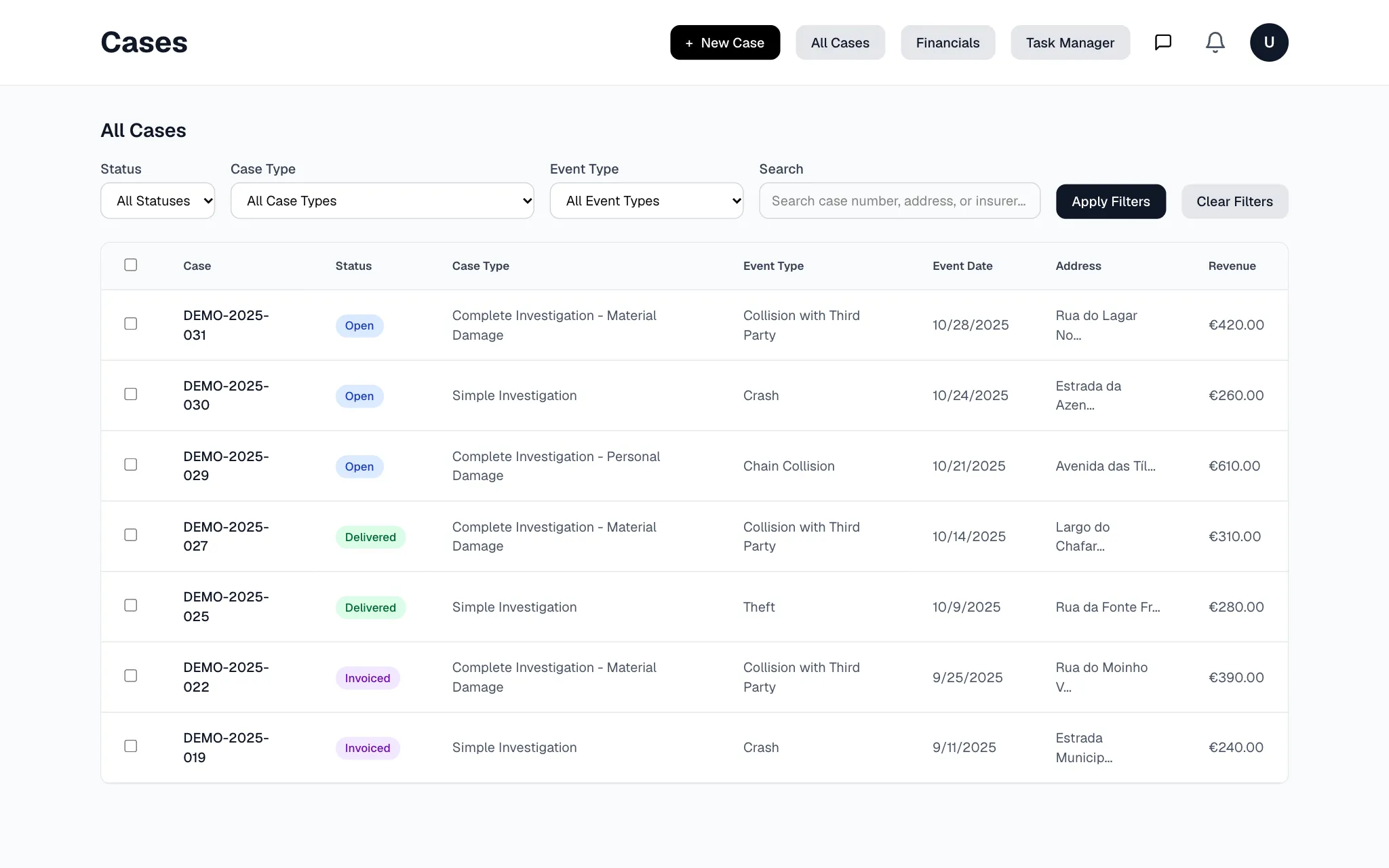
I started with the ordinary parts of the job, rather than a grand system. There was a searchable case list, a two-step flow for opening a case, and a workspace for the information someone needs while working through it.
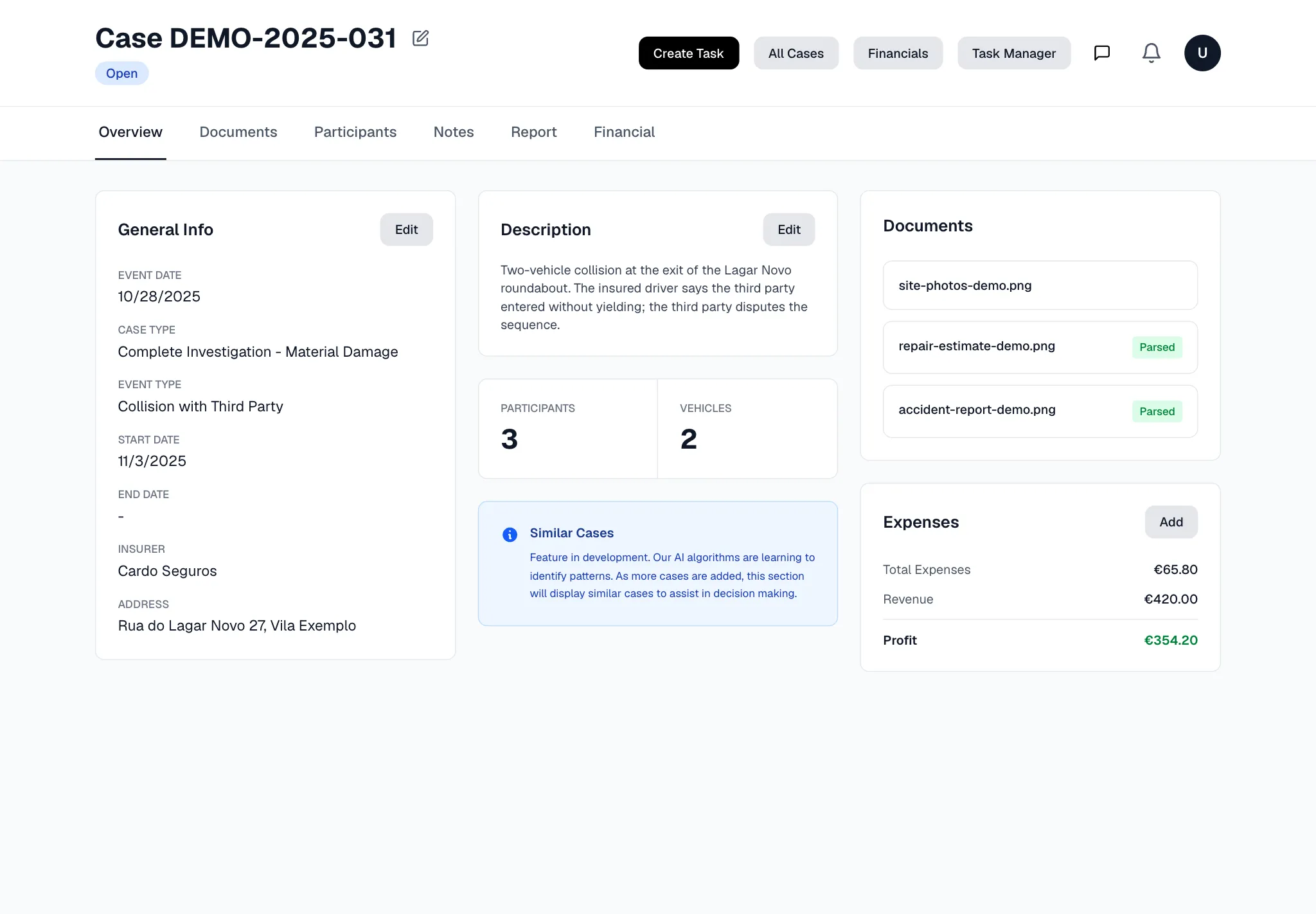
Within a case, the app linked the people, vehicles, documents and financial context together. The point was not to make a prettier record. It was to make the relationships between the bits of work visible while they were still useful.
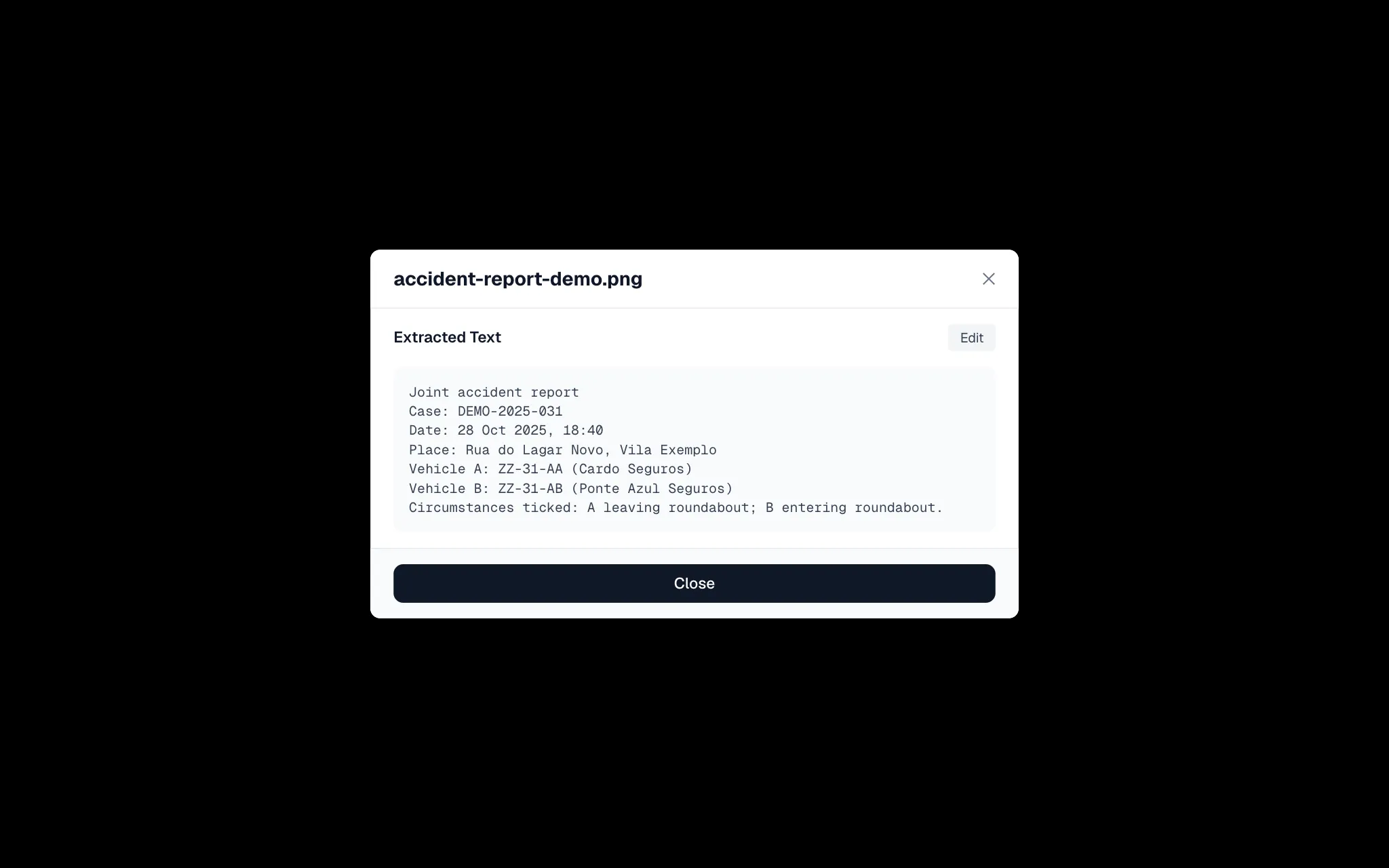
Documents were the part I was most curious about. The prototype supported upload, OCR, editing the extracted text, download and deletion. It also made that text available to the app’s knowledge-base work, so a document could become something more useful than a file sitting in a folder.
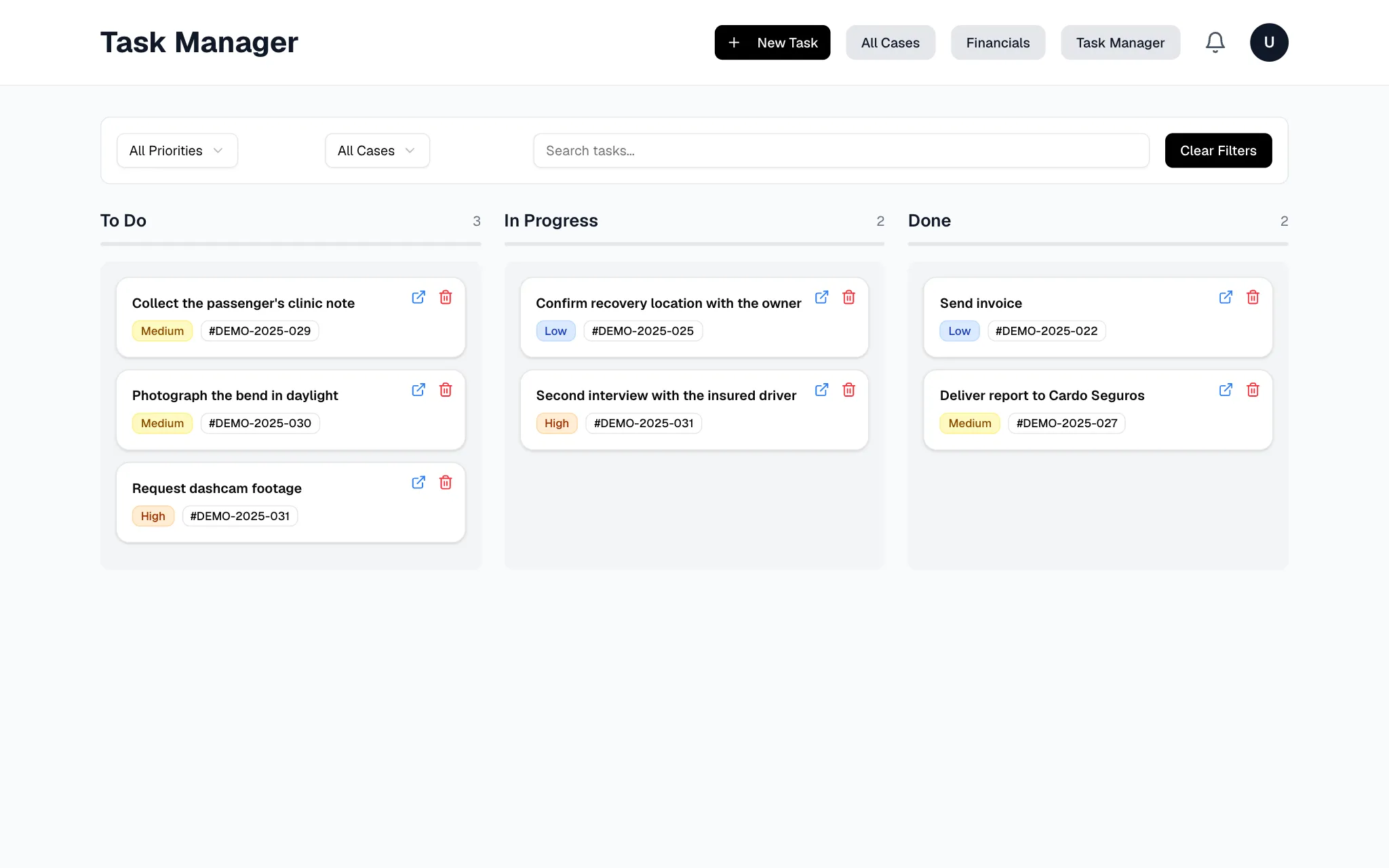
There was also a lightweight task board. It was deliberately plain: the aim was to make the next action obvious, not to turn an inspection into a project-management ceremony.
Where it stopped making sense
The prototype made the workflow clearer. It did not solve the part that mattered most: it would still have to live alongside the very old systems used by the companies he works with.
We looked at integration and at using a separate tool side by side. Neither was a comfortable answer. Re-entering information or keeping two systems in sync would simply move the manual work somewhere else, and the integration work was beginning to look like the actual product.
So I paused the app. That was not a failure of the interface; it was the answer to the original question.
We did keep going in a different direction, experimenting directly with AI in a more robust, secure setup. That work is separate from this unfinished application, and this page is not a claim that the prototype became a deployed workflow.
What I learned
The workflow is bigger than the screen
The case workspace was useful because it reflected the work around a case, not because it collected lots of fields. But the real workflow also included systems outside the workspace. Ignoring those boundaries would have made the product look more complete than it was.
Integration is a product decision
It is tempting to leave integration for later because the product can be demonstrated without it. Here, the question of where information starts, moves and has to be entered again was the product question from the beginning.
A prototype can still give a useful answer
The app was unfinished, but it made the trade-off concrete. That was enough to stop building the wrong thing and focus the next experiments on the work that might actually fit.